From messy page to clean audio
Vocalize extracts the article, shows a clean reading view, and highlights each sentence as it speaks.
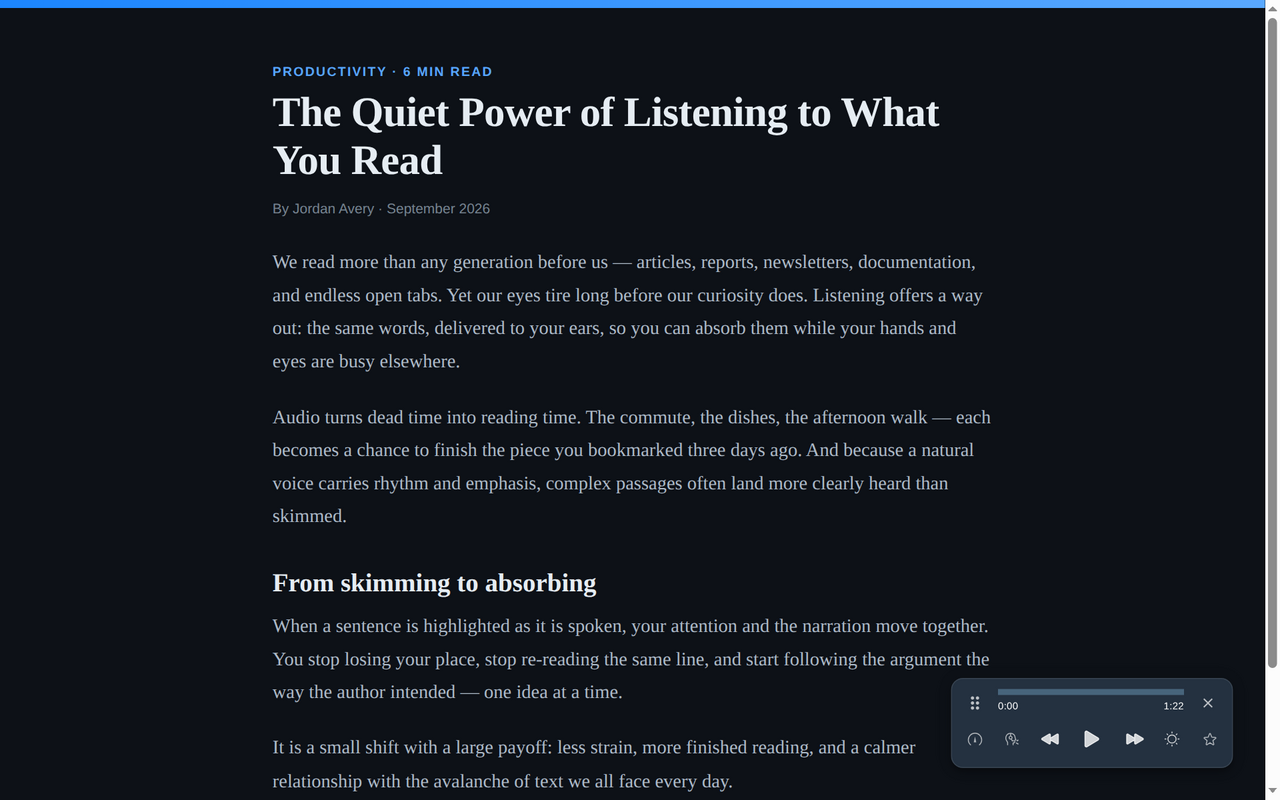
Vocalize finds the article worth hearing — skipping the nav, ads, and clutter — and reads it aloud while highlighting every sentence. Free browser extension, 70+ languages.
Free · No account needed · Installs in seconds
Vocalize extracts the article, shows a clean reading view, and highlights each sentence as it speaks.
Install Vocalize, open an article, and press play. No account required to start.
Add the free extension from the Chrome Web Store (Chrome, Edge) or Firefox Add-ons.
Visit a news article, blog post, documentation page, newsletter, or long-form web page.
Vocalize finds the main content, skips the clutter, and reads aloud with live sentence highlighting.
Most readers blast the whole page at you. Vocalize finds the actual article and reads only that.
Same article, however deep you want to go. Let AI hand you the gist, hear the whole thing in a natural voice, or just read it.
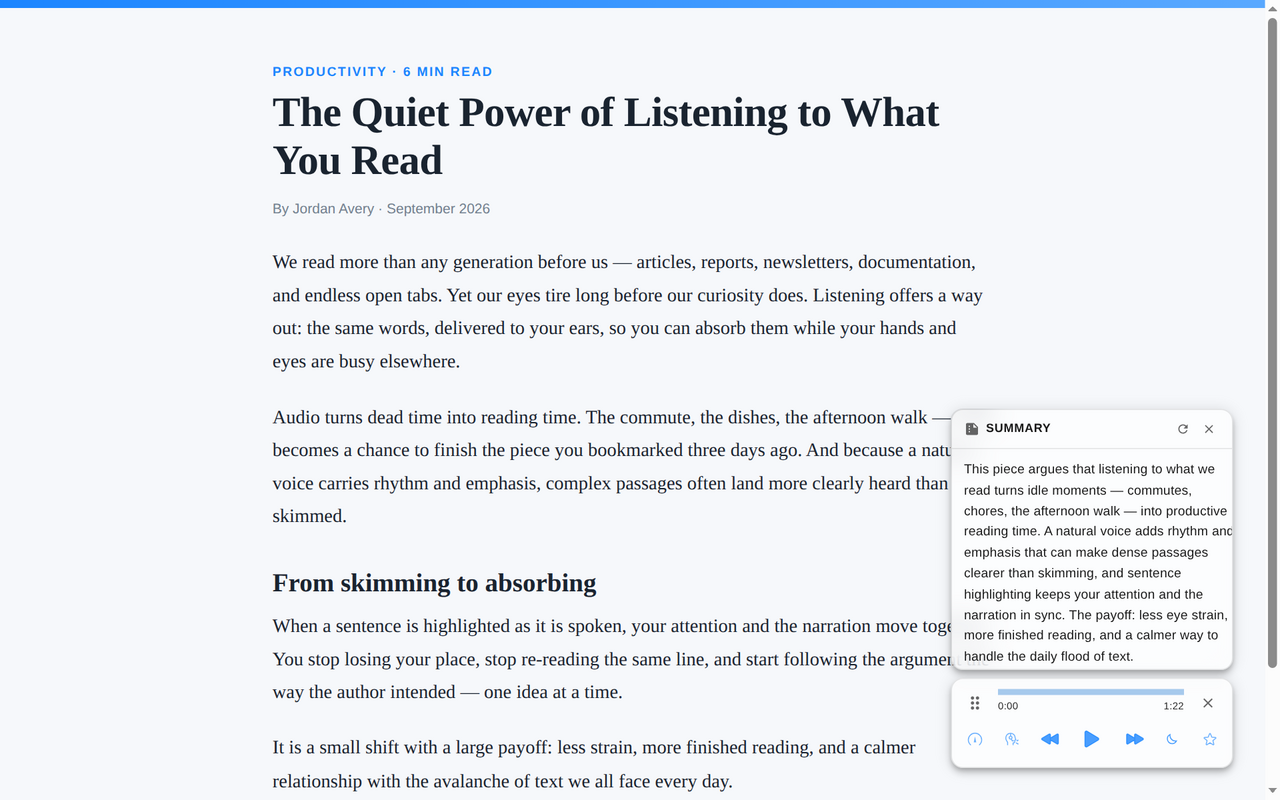
Basic readers can speak text. Vocalize is built to understand web pages first.
Get through long readings and articles — and retain more by following the highlight as you listen.
Clear your article backlog on the commute, at the gym, or between meetings. Hands and eyes free.
Hear natural pronunciation in 70+ languages while you read along, sentence by sentence.
Ease eye strain and reading fatigue — a gentler way through text for dyslexia, ADHD, or low vision.
Vocalize is designed for text-heavy pages where there's something meaningful to read.
News articles, blogs, essays, documentation, Wikipedia pages, newsletters, tutorials, and long-form web content.
App dashboards, social feeds, pages with very little text, heavily interactive pages, or sites that block browser extensions.
Vocalize reads virtually any text-based page — news, blogs, docs, Wikipedia, and more. A handful of app-style pages with little real text aren't a fit, and you can exclude any site you don't want it on.
Just the article. Smart content detection identifies the main content and skips navigation, ads, cookie banners, and comments, so you hear only what you came to read.
Hundreds of natural neural voices across 70+ languages. Choose a different narrator per language, and adjust speed anywhere from 0.5× to 2×.
Vocalize doesn't track your browsing history or sell your data. When you choose to generate audio or a summary, only the selected page text is sent to our servers to create the voice or summary.
Chrome has basic text-to-speech, but Vocalize is built specifically for reading articles aloud — it finds the main content, skips page clutter, highlights each sentence, and can summarize the page first. It works the same way in Chrome, Edge, and Firefox.
Yes. Open an article, press play, and listen while commuting, cooking, exercising, or taking a break from the screen.
Yes. Vocalize works best on text-heavy pages such as blogs, news articles, tutorials, documentation, essays, and Wikipedia-style pages.
In many cases, yes. If you can open and read the text in your browser, Vocalize can usually read it aloud. Some sites block extensions or use app-style layouts that are harder to detect.
Add Vocalize and turn long web pages into natural audio in seconds — free to install, no account needed.
Vocalize also reads PDFs aloud and EPUB e-books aloud. Switching from another reader? See the Speechify alternative.
Add to Chrome — It's Free